
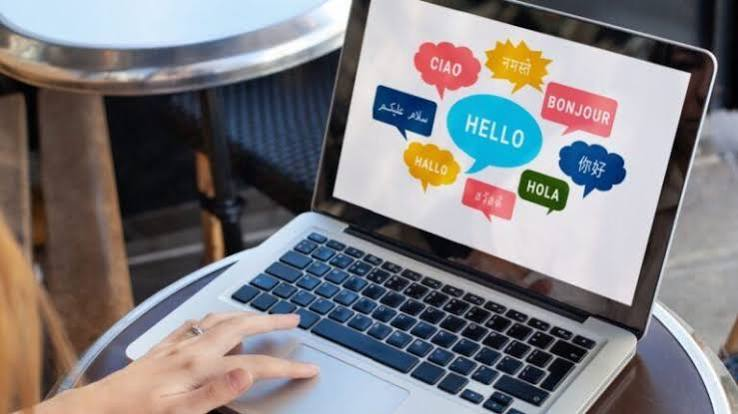
A text document is translated sentence by sentence. A step by step guide creator has another concern. Its documentation can contain screenshots showing the interface in the language in which they were captured. Topic text can be translated inside the tool, while the screenshot itself remains unchanged. Thus, a localized interface has to be captured when the guide needs to show the software in another language. That split, between what the software automates and what waits on the product, decides how long a multilingual version takes to finish.
What Translation Touches
Open a finished English topic and notice how many places language lives in it. The body text, callout descriptions, figure captions, words typed into a table, and text showing inside each screenshot. The text inside the screenshot is easy to overlook because it is part of the image itself. A screenshot is a picture of an English interface, so translating the surrounding text does not change the words embedded in those pixels.
The Part a Tool Can Translate
Topic text is where the tool can handle much of the translation work. Dr.Explain’s AI Assistant translates the content of topics into other languages inside the editor, keeps embedded elements and formatting intact, and adapts to the project’s tone. That can cover the body, captions, and callout descriptions together, while the translated content can still be reviewed before publishing. It does not provide a translation-management workflow, though. Its current comparison with MadCap Flare describes localization as possible without centralized translation management. Teams handling frequent updates across several languages therefore still need their own process for tracking changes and keeping versions aligned.
The Screenshots Need the Localized App
Translating the text does not change the screenshots, which still show the interface in its original language. To localize an image that shows the interface, you capture the same screen again from the software running in the target language. That means the localized build has to exist before those screenshots can be finalized. Dr.Explain lets you replace a screenshot while keeping the callouts and descriptions already attached, and its smart callouts stay aligned with interface elements through updates. The localized interface can still change the appearance or wording of a control, so the finished guide needs a visual check in each target language.
Plan for Text That Grows
Translated text can take up more space, with short interface labels often causing the tightest layout problems. W3C guidance based on IBM localization data puts expected expansion at 200 to 300 percent for English strings of up to ten characters, with lower averages as source strings get longer. The effect shows up in annotated screenshots, where short labels often occupy tight interface areas. A translated interface label can become wider or taller than its English version, which changes the space available around a nearby callout or description.
Keeping Languages in Step
The size of a translation project is decided before translation starts. Keep callout text short in the English source, since short strings have the least room to grow. Leave space around annotations instead of packing them against the controls. Finish the localized build of the software before you promise a delivery date, because the screenshots depend on it. Give each language a visual check once it is built, since a translated interface will not match the English layout exactly. A step by step guide creator can handle much of the topic-text translation, but someone still has to review the localized content, manage the screenshots, and keep each language current.